
The Perfect Thank You Page: 12 Examples That Boost Conversion Rates [Checklist]
![The Perfect Thank You Page: 12 Examples That Boost Conversion Rates [Checklist]](https://cdn.prod.website-files.com/63bea218c42a964514afc2a2/697493e6f9db6cc8c78384a0_about-tnx-page.webp)
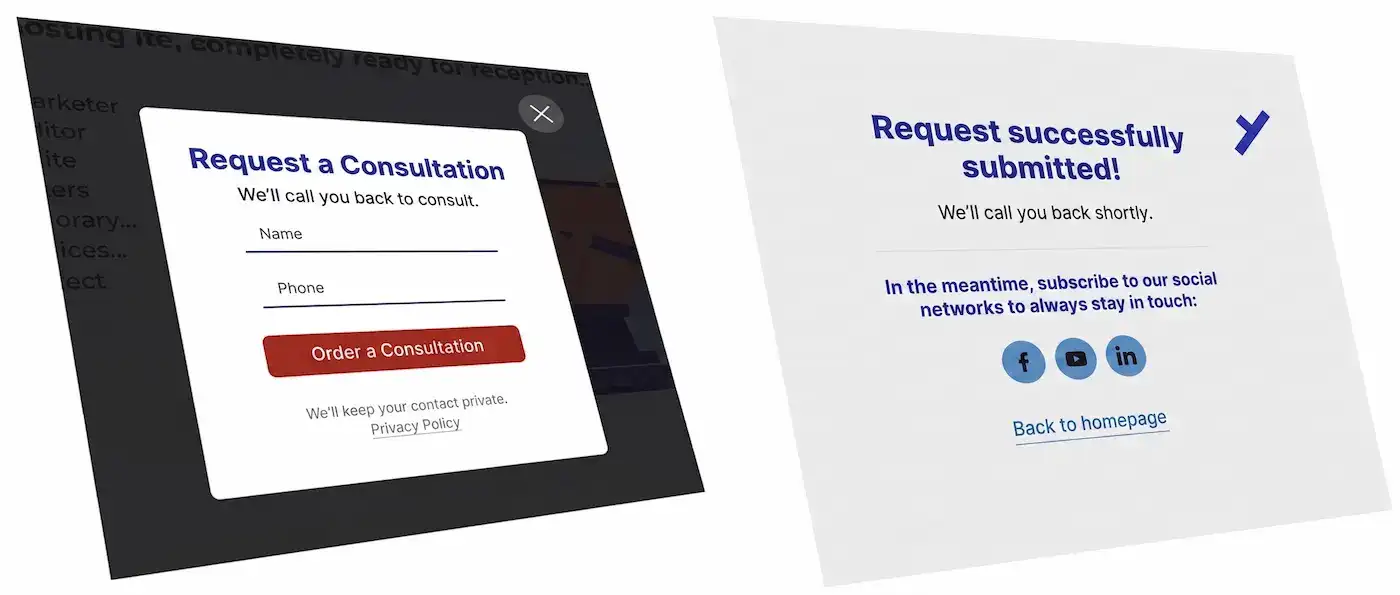
A "thank you" page is the specific webpage a user is redirected to after successfully submitting a lead form on a website. It is a separate, physical URL—not a dynamically generated pop-up or a fake URL change in the address bar. It typically displays a message like: "Thank you for your request, we will contact you shortly."
The Purpose of a Thank You Page
- Tracking: Google Analytics and Yandex Metrica must register this as a visit to a distinct webpage.
- Tag Firing: It ensures that tracking codes reload properly (for global site tags) or that specific conversion tags (like Google Ads conversion tracking) fire exclusively on this page and nowhere else.
- Retargeting Audiences: It allows you to build retargeting audiences to show ads to past visitors who have already submitted a request, filtering them precisely by this URL parameter.
- User Experience (UX): It is a crucial website element that assures the user everything went smoothly. The data they filled out in the lead form was successfully sent and received by the site owner. A small, barely noticeable pop-up message without a dedicated page does a poor job of this.
- Analytics Visibility: Visits to this page are visible in standard website statistics and are tracked within the "page depth" parameter. This does not work if you rely solely on JavaScript event identifiers for goal assignment.
- Unrestricted Marketing Space: We can place links on this page that would be distracting or inappropriate on the main landing page (which could lower initial conversion rates). For example, invitations to social networks. It is the perfect place to put upsell, pre-sale, or cross-sell offers. The visitor has already completed the primary desired action, so now you have total freedom to offer them something else without worrying about them getting distracted.
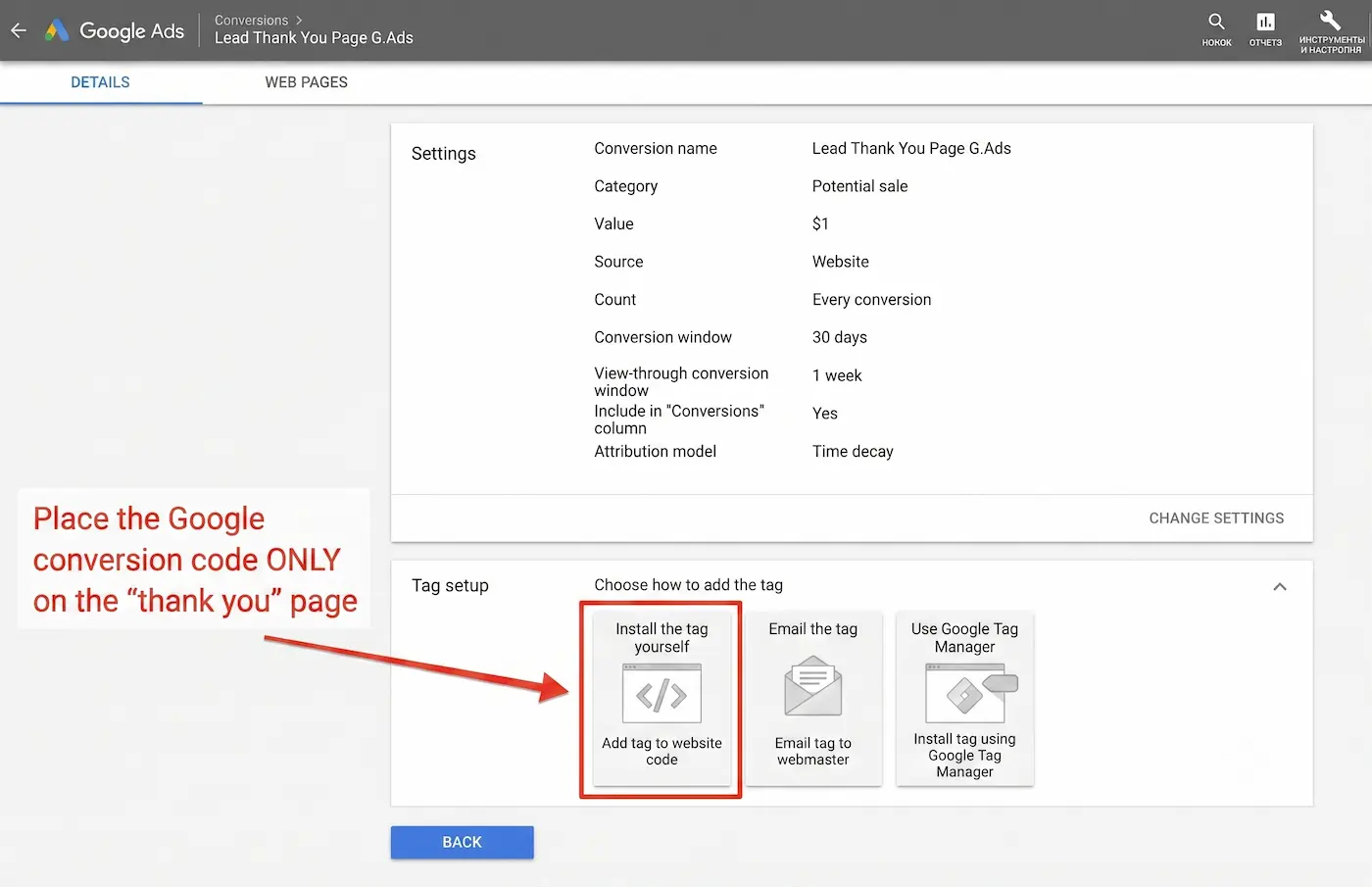
Google Ads Conversion Tracking
Configuring a conversion in Google Ads (not Analytics) involves placing a tag specifically on the thank you page. This tag should not be present on other pages. How can you do this if there is no redirect to a "thank you" page, but instead, a JavaScript event triggers, or the text simply changes color? There is no straightforward way to configure a Google Ads tag for that kind of dynamic event without a separate URL.
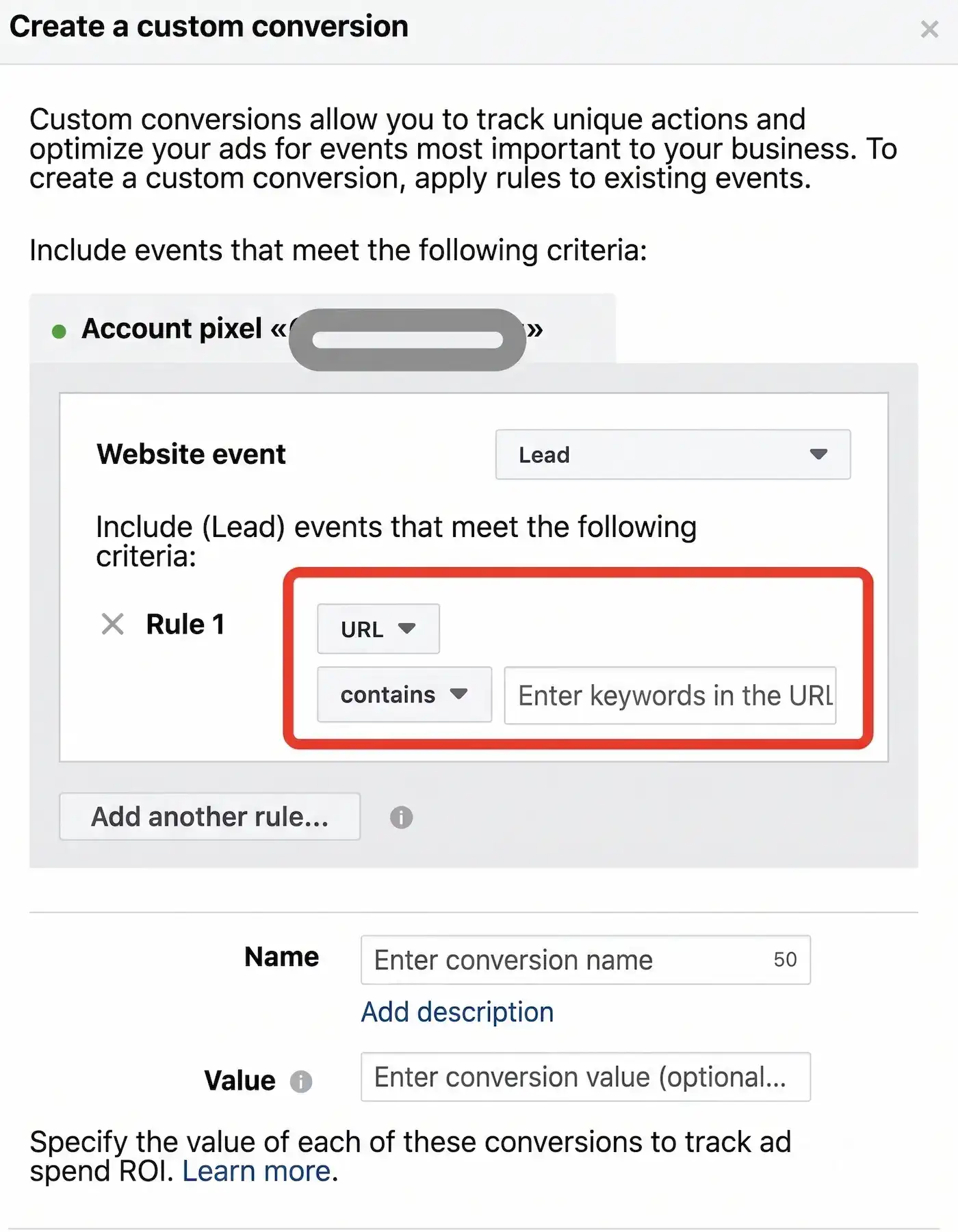
Facebook Retargeting Audiences and Conversions
How else can you build a Facebook retargeting audience based on a JavaScript event firing on a website if you don't have backend access to the site and don't know the specific event identifiers? The Facebook interface does not provide easy options for this.
- It is used to run ads optimized for the cost per goal (CPA).
- It is used to accumulate audiences. The audience is built based on conditions like: visited Page A, but did not visit Page B, or only visited a specific page on the site.
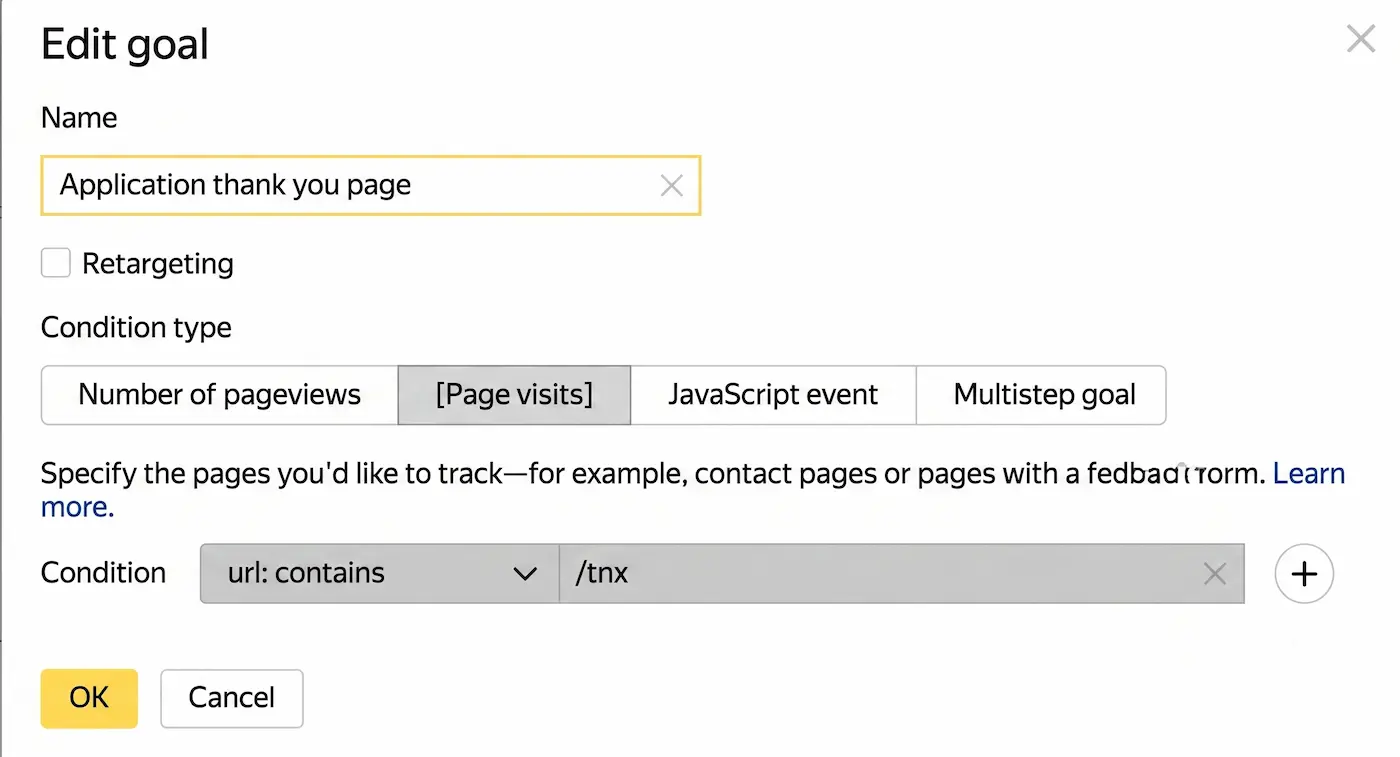
Yandex Metrica Conversion Tracking
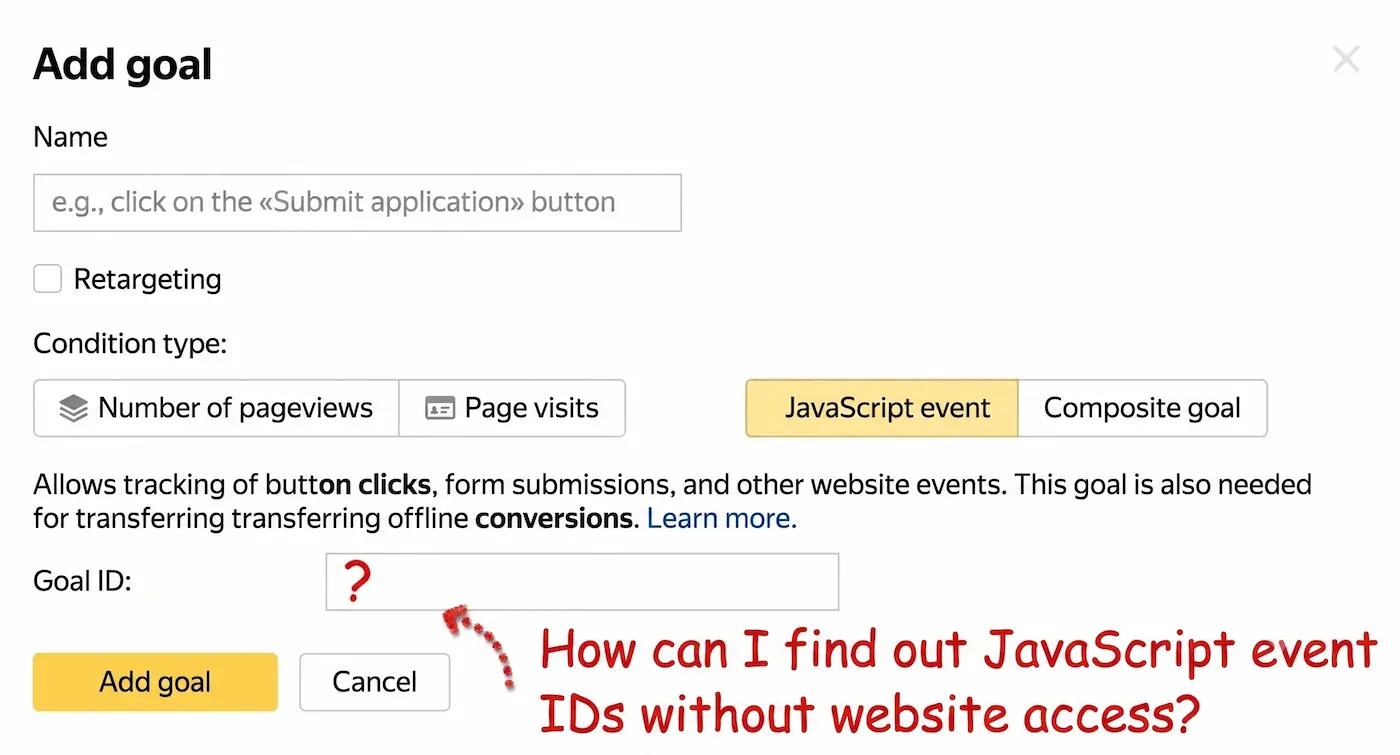
When setting up goals independently without the help of web developers, the process should be simple. To understand how to set it up, you just need to visit the site, submit a test request, and copy the URL of the resulting "thank you" page.
What JavaScript events need to be tracked if you are not the site's programmer and have no backend access? This is a difficult task for a marketer setting up ads on someone else's website. Not everyone knows how to find an event identifier in the browser inspector, and it must first be created and coded by the webmaster.
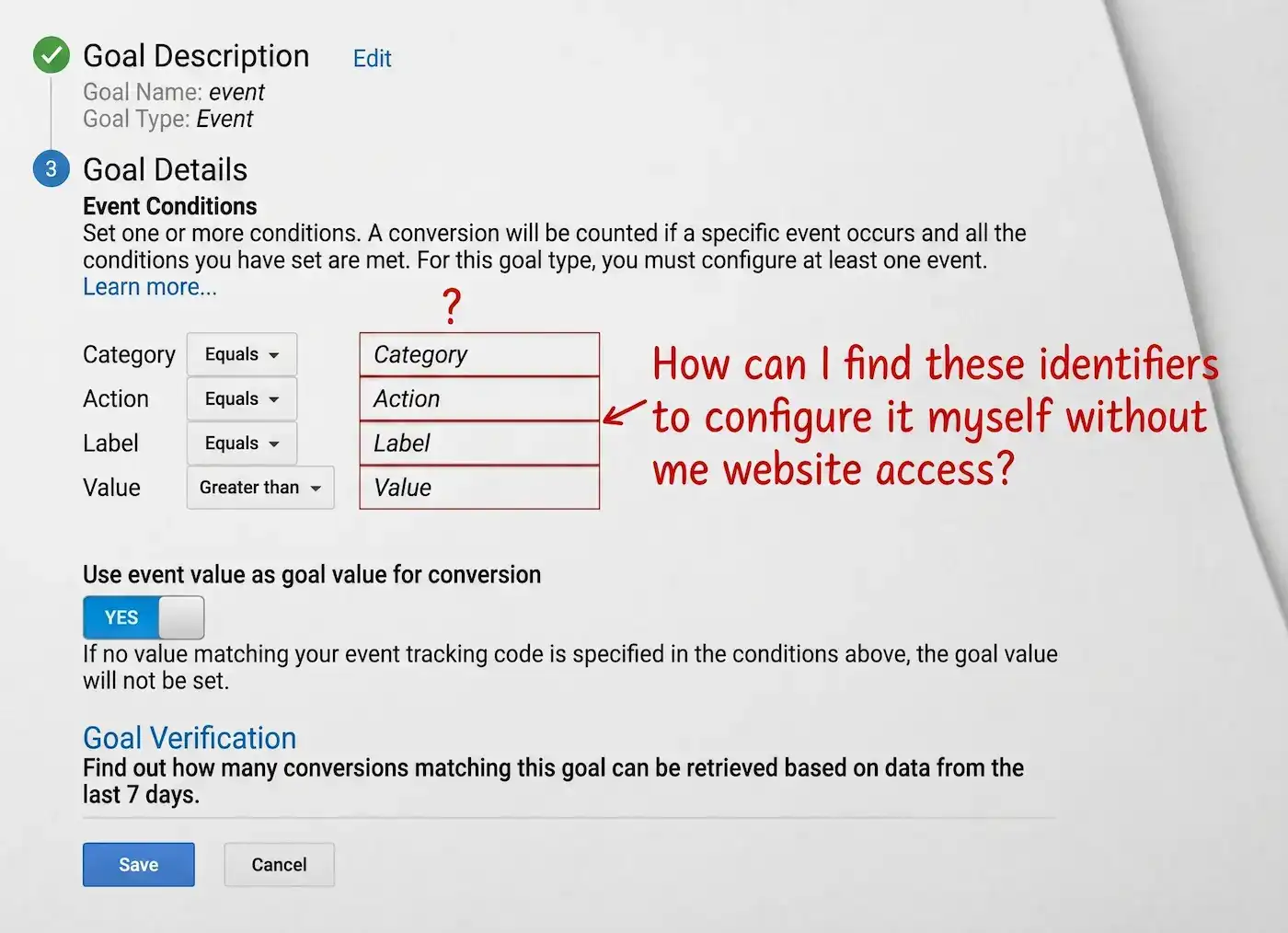
Google Analytics Goal Setup
Setting up a goal for a lead form submission by tracking visits to a thank you page is simple, reliable, and requires no access to the site's code—you just enter the "thank you" page URL. It is unclear how to easily do this with JS events. How can you set this up without contacting the site developer and adding to their workload?
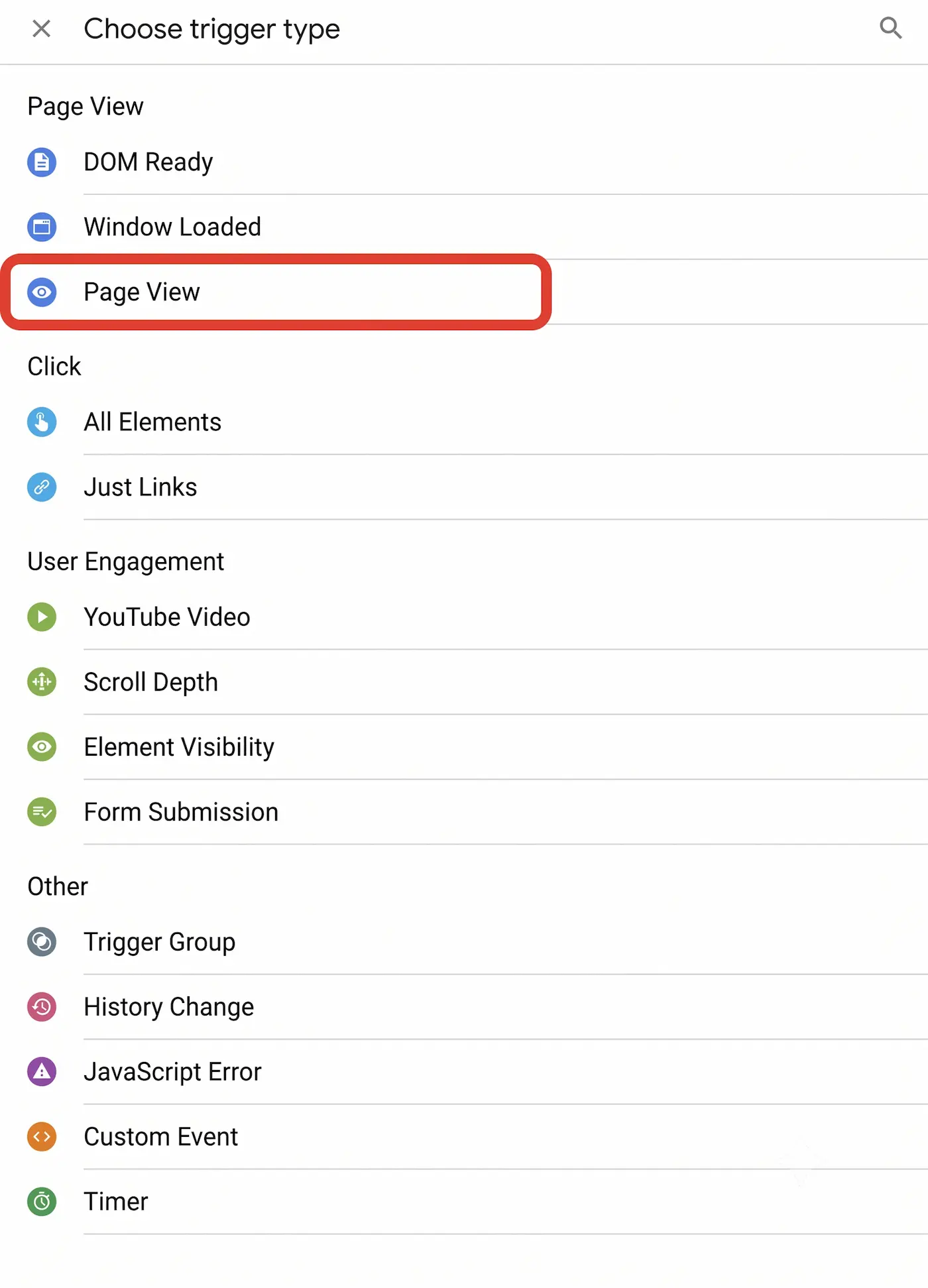
Google Tag Manager (GTM) Setup
GTM is used for the convenient management of tracking codes and pixels on a website. The webmaster installs the Tag Manager container code once and is no longer distracted by these tasks. All other pixels, analytics codes, and tags are installed by the marketer. Configuring triggers in Google Tag Manager is incredibly easy when based on a specific page view. Setting them up based on a Java/JS event is far less intuitive.
Website Usability and Clarity
When a lead form is filled out, it must be completely obvious to the visitor that it worked and the data was sent. They should receive detailed further instructions, such as: "We will call you back in 15 minutes," or "Check your email, find our message, and make sure to click the confirm subscription button" (if they left an email).
A thank you page is a highly convenient place to put further instructions, screenshots, a welcome video, or anything else. This page can be easily hidden from search engine indexing, offering other advantages that cannot be achieved with a simple JavaScript event pop-up.
If the user is unsure whether the request was sent, your sales department will eventually be flooded with duplicate requests, which will ruin your statistics. Website guests will be disoriented and might think the site is unfinished or broken because the submission status was unclear.
Conclusion: Why You Must Choose Lead Forms with a Thank You Page
- To monitor website performance, the fact that a lead form was filled out must be registered.
- This registration is needed for various purposes: configuring tracking in different ad platforms, forming ad display audiences, and retargeting/remarketing.
- Registration must be reliable, and the number of goal completions must match the actual number of contacts received.
- The automatic "Form Submission" goal in Yandex Metrica is poorly suited for this; it works unreliably and will generate false positives when a user clicks the button without properly filling out the fields.
- Setting up tracking via JS event identifiers requires advanced knowledge and the assistance of the site's webmaster. While it counts reliably, it does not solve other tasks (like setting up audiences and retargeting conditions). You won't see any statistics until the JS event goals are configured. Conversely, with a separate page, page visit statistics and "page depth" metrics are always available, even before you set up the specific goal in Metrica.
That is why a "thank you" page is the most useful and reliable way to monitor lead form submissions and track advertising performance.
12 Examples of Thank You Pages That Increase Revenue
Most companies use a Thank You Page just to say, "Your application has been accepted." This is a mistake. Here are 12 ways to turn this page into a sales tool:
- Promo Code for the Next Purchase: Give a discount with a limited validity period (e.g., 48 hours) while the customer is at peak loyalty.
- Upsell/Cross-sell: Offer a related product. "Bought sneakers? You might need these cleaning supplies."
- Social Media Subscription: The easiest way to turn a "one-time" lead into a long-term follower.
- Referral Program: Offer a bonus if the customer shares a link to your service with a friend right now.
- Survey or Questionnaire: Ask: "What was the deciding factor in choosing us?" This is invaluable data for marketing.
- Relevant Educational Content: Offer the 3 best articles from your blog that will help the client implement your product faster.
- Account Registration: If the purchase was a "guest checkout," offer to create an account to track the order.
- Book a Consultation: If you are in B2B, offer them the chance to pick a time on your calendar for an introductory call immediately after applying.
- Newsletter Subscription: Provide a teaser for an upcoming webinar or a valuable guide.
- Video Testimonials and Case Studies: Build trust by showing other clients' results while the person waits for a manager to call.
- Emotional Video from the Team: A short "Hi, we’ve already started working on your project!" from real people works wonders for loyalty.
- Countdown Timer: If you are offering a special offer on this page, add a ticking timer to create a sense of urgency (FOMO).
Checklist: The Perfect "Thank You" Page in 2026
Check your page against these points. If you have fewer than 4 checkmarks, you are losing money.
- ✅ Action Confirmation: The client clearly sees that the payment/application was successful.
- ✅ "What's Next?" Instructions: It is clearly stated exactly when the manager will call or an email will arrive.
- ✅ One Primary Call to Action (CTA): You don't confuse the client, but lead them to the next step (subscribing, buying, or reading).
- ✅ Human Language: Instead of "Your request has been queued," use "Awesome! We've received your message and will reply by the end of the day."
- ✅ Responsiveness: Tables and buttons are perfectly tappable on a mobile phone (we’ve already fixed this!).
- ✅ No Unnecessary Menus: There should be no paths "back" to the catalog from this page, only forward down the funnel.
Read new articles:









Рентабельные рекламные кампании в Яндекс.Директ
Настроим и будем вести контекстную и таргетированную рекламу для вашего бизнеса
Создадим систему привлечения новых клиентов
Уменьшим цену входящего звонка и заявки
Увеличим заказы на маркетплейсах: Ozon, Yandex Market, WB
Подготовим понятные отчеты и аналитику