Webflow SEO Migration Guide. How Not to Lose Traffic
Introduction: Why Migration is an Upgrade, Not a Disaster
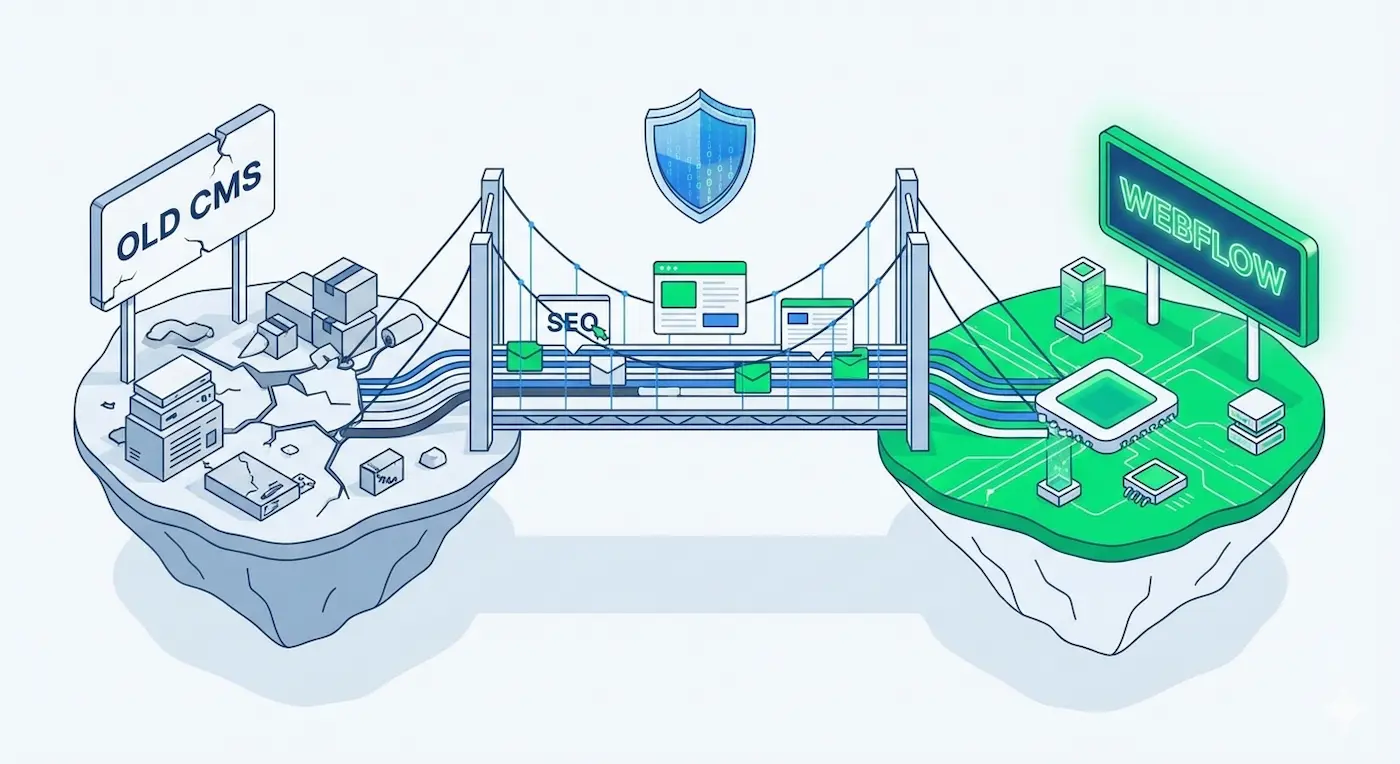
Website migration is often associated with digital catastrophe: search rankings plummet, organic traffic evaporates, and users hit endless 404 error pages. Because of this fear, many B2B companies remain "hostage" to slow, vulnerable, legacy CMS platforms for years, terrified of losing their hard-earned SEO equity.
But in 2026, migrating to Webflow is not a risk; it is a technical detox. Migrating allows you to strip away tons of legacy code bloat, instantly improve your Core Web Vitals, and feed search engine crawlers exactly what they want.
If engineered correctly, your traffic won't just survive—it will receive a massive algorithm boost. Here is the step-by-step engineering playbook for a zero-loss Webflow migration.
Phase 1: The Technical Inventory (Mapping the Terrain)
Before you demolish an old building, you need a flawless architectural blueprint. You must map every single indexed URL on your current domain.
- The Action: Use enterprise crawling tools like Screaming Frog or Ahrefs to export a comprehensive CSV list of your current website's URLs.
- The Engineering Focus: Identify your "Golden Pages"—the URLs that drive the most organic traffic and hold the most external backlinks. The structure of these pages must be meticulously preserved or perfectly redirected to maintain your link equity.
Phase 2: Architecting the URL Topology in Webflow
Webflow gives developers absolute control over URL structures. The primary goal is to maintain the exact same URL slugs wherever possible.If your old service page was site.com/services/enterprise-logistics, it must remain exactly that in Webflow.
If you are using the migration as an opportunity to clean up a messy, outdated URL architecture, you must create a strict spreadsheet pairing the Old URL to the New URL. This document becomes the foundation for your redirect mapping.
Phase 3: The 301 Redirect Architecture
This is the most critical technical step. A 301 Redirect is a server-level command that tells Google: "This page has permanently moved to a new location. Pass 100% of its accumulated SEO authority to the new URL."
- How Webflow Handles It: Inside Project Settings, Webflow provides a native 301 redirect engine. For enterprise sites with hundreds or thousands of pages, engineers simply upload the CSV mapping file we created in Phase 2.
- The Golden Rule: Not a single old URL should lead to a "404 Not Found" error. Every legacy page must have a logical new destination.
Phase 4: Native Technical SEO Configuration
Webflow is a technical SEO specialist’s dream environment because the architecture is entirely transparent and native:
- Clean Semantic HTML: Zero "div-soup" or plugin bloat, allowing Googlebot to crawl and index your pages instantly.
- ADA-Compliant Alt Tags: Native CMS fields guarantee that every image has descriptive alternative text.
- Dynamic Meta Data: We engineer the Webflow CMS to auto-generate highly optimized Title Tags and Meta Descriptions for hundreds of programmatic pages based on strict templates.
- Auto-Generated XML Sitemaps: Webflow dynamically updates your
sitemap.xmlfile every time you publish, ensuring search engines always have your latest structure.
Phase 5: Launch Day (Verification & Indexing)
The engineering work does not stop when we hit Publish. We must mathematically verify that global search algorithms have accepted the new architecture.
- Google Search Console (GSC): Immediately submit the new XML sitemap to GSC and request priority indexing for your "Golden Pages."
- 404 Error Monitoring: During the first 72 hours, closely monitor the server logs. If users or bots are hitting unexpected dead ends, we instantly deploy supplementary 301 redirects to catch the traffic.
- Core Web Vitals Audit: Run the new live domain through Google PageSpeed Insights. This is where you watch the sluggish "red zone" metrics of your old WordPress site transform into the "green zone" of a modern Webflow architecture.
Summary: Invest in a Scalable Foundation
Migrating to Webflow is not just changing your CMS. It is upgrading to a high-performance infrastructure where your marketing team can publish content in 5 minutes, and the pages load faster than the user can blink.
SEO is a long-term game, and Webflow provides the sharpest technical tools to win it.
Are you terrified that a platform migration will destroy your SEO rankings? We specialize in the flawless migration of complex B2B architectures. Let’s map your redirects, audit your technical debt, and move your enterprise into the Google "green zone" with zero traffic loss.
👉 Book a Secure Migration Audit Today.
Read new articles:









Рентабельные рекламные кампании в Яндекс.Директ
Настроим и будем вести контекстную и таргетированную рекламу для вашего бизнеса
Создадим систему привлечения новых клиентов
Уменьшим цену входящего звонка и заявки
Увеличим заказы на маркетплейсах: Ozon, Yandex Market, WB
Подготовим понятные отчеты и аналитику