
How to Write a Website Brief: A Step-by-Step Guide for Businesses
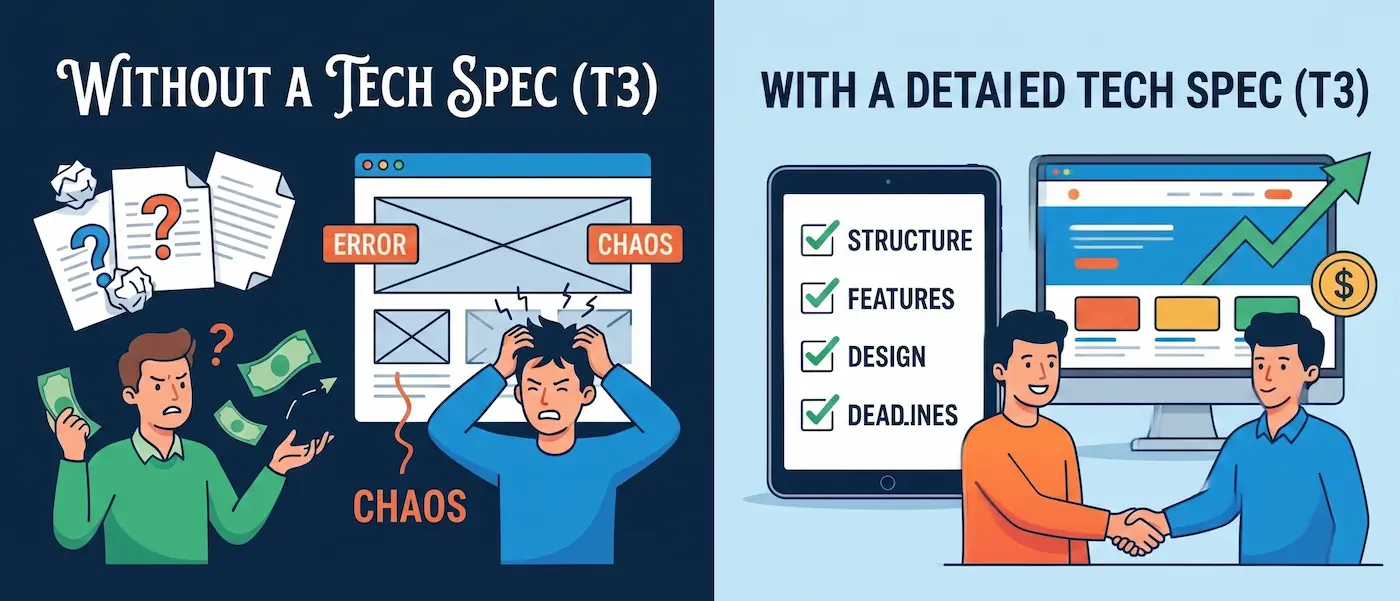
Introduction: Why does "make it look pretty" cost twice as much?
Many people think a technical specification (or project brief) is a document meant only for the programmer. In reality, it’s a document for the business owner. Without a clear brief, a project turns into an endless process of revisions, where every new idea costs money and pushes back the launch.
A solid brief allows you to get an accurate estimate and timeline before the work even begins.
The Structure of an Ideal Brief: Mandatory Sections
I recommend using this structure to ensure you don't miss anything crucial:
1. Company Information and Goals
Don't just write, "We need a website." Write: "We need a tool to collect wholesale coffee orders."
- Who is your target audience?
- What is the primary action a user should take?
2. Structure and Functionality
List all the pages and blocks. For example: Home, Catalog (with a price filter), About Us, Contact.
- Do you need CRM integration?
- Do you need a multi-language setup?
3. Content and Materials
Specify who will provide the text and photos.
Tip: If you don't have ready-to-use content, allocate a budget for a copywriter right from the start so the design isn't built around dummy text (Lorem Ipsum).
4. Design and Visual Preferences
Provide links to 3-5 websites you like (references) and explain why.
- "I like the clean layout and large typography here."
- "I love the block entrance animations there."
5. Technical Requirements (The Most Important Section)
This is where you define the engineering standards for the project:
- Fully responsive across all devices.
- High load speed (90+ on Google PageSpeed).
- Clean class structure (applying Occam's Razor).
- A user-friendly admin panel for content edits (Webflow Editor).
Checklist: Is Your Brief Ready?
Use the table above to check your requirements before sending the task to a developer.
Conclusion: A Brief is a Map, Not a Straitjacket
A technical specification can evolve during the development process, and that's completely normal. However, having a foundational document ensures we speak the same language.
If you don't know how to describe the technical requirements—don't worry. I can help you put this section together during our initial meeting.
Do you already have ideas for your new website?
Read new articles:







Рентабельные рекламные кампании в Яндекс.Директ
Настроим и будем вести контекстную и таргетированную рекламу для вашего бизнеса
Создадим систему привлечения новых клиентов
Уменьшим цену входящего звонка и заявки
Увеличим заказы на маркетплейсах: Ozon, Yandex Market, WB
Подготовим понятные отчеты и аналитику