
What is an SSL Certificate (HTTPS) and Why Browsers Mark Your Website as "Not Secure"
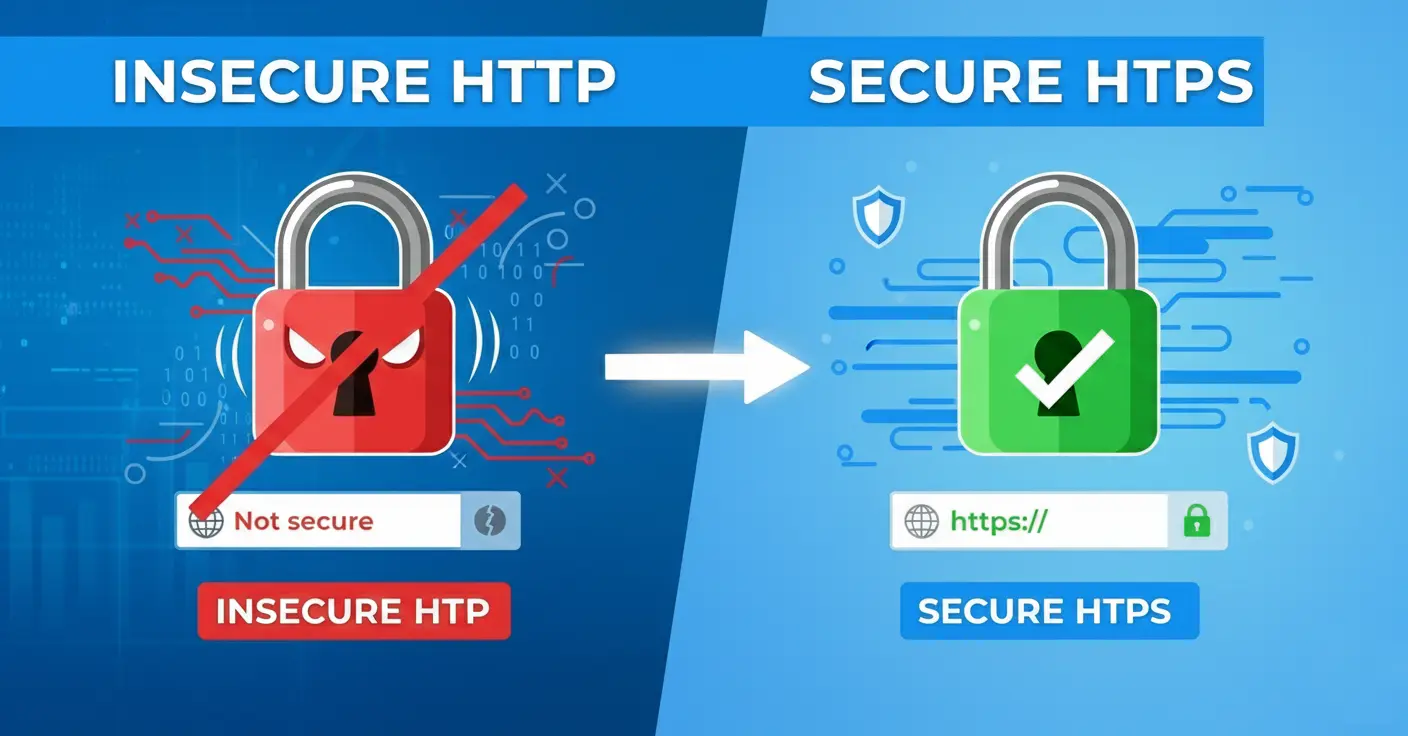
Imagine spending your marketing budget on ads. A potential client clicks your link with the intent to buy, but instead of your beautiful website, they are hit with a bright red screen and a threatening message:
"YOUR CONNECTION IS NOT PRIVATE. Attackers might be trying to steal your passwords, messages, or credit cards."
What will 99% of users do? They will panic and close the tab. No one is going to hunt for the tiny "Proceed anyway" button.
This is exactly what a website without an SSL certificate looks like in a modern browser. To Google, your site is a "danger zone," and they will actively prevent people from visiting it. Today, the absence of the padlock icon in the address bar is a digital black mark that kills trust before a client even sees your offer.
Let's break down what this "padlock" is, why HTTP is a relic of the past, and how to secure your site in 15 minutes (often for free).
1. The Analogy: A Postcard vs. A Sealed Envelope
To understand the core concept, you don't need to be a developer. The internet is simply data transferring between your browser and a website's server.
- HTTP (No Certificate) = A Postcard: You write your password or credit card number on a postcard and drop it in the mail. Along the way, the postman, a sorter, or anyone peeking into the bag can read it. Your data is transmitted in plain, open text.
- HTTPS (With SSL) = An Armored, Encrypted Envelope: Before sending, the data is encrypted. Even if a hacker intercepts your "letter" in transit, they will only see a meaningless string of characters that cannot be decrypted without the correct key.
An SSL certificate is a digital passport that confirms: "Yes, this website is authentic, and the data transfer is fully encrypted."
2. Four Reasons HTTP Kills Your B2B Business
In the past, only banks and e-commerce stores used SSL. But a few years ago, Google declared war on the unencrypted web. If you lack an SSL certificate, Chrome, Safari, and Firefox will forcefully label your site as dangerous.
- Loss of Trust: The "Not Secure" warning scares off 80% of visitors. People are afraid to submit contact forms, let alone enter payment details. Even without the red warning screen, a "Not Secure" label acts like a filthy storefront window.
- SEO Penalties (Rankings Drop): Search engines heavily penalize sites without HTTPS. Google officially made HTTPS a ranking signal back in 2014. If you and a competitor have equally good content, but they have a certificate and you don't, they will outrank you. Today, it is nearly impossible to reach the Top 10 without SSL.
- Blocked Functionality: Modern web technologies simply refuse to work without HTTPS. You cannot process online payments (Stripe, PayPal). Geolocation and microphone/camera access will be blocked. Even the new HTTP/2 protocol (which drastically speeds up page loading) requires SSL to function.
- Website Hijacking (Ad Injection): Unsecured HTTP connections allow third parties (like shady ISPs or public Wi-Fi providers) to inject their own ad blocks directly into your website. Imagine paying for a sleek landing page, only to have third-party banners dynamically inserted into your layout without your permission.
The Verdict: For a standard B2B website or even an online store, a free Let's Encrypt DV certificate is more than enough. It provides the exact same 256-bit encryption level as the expensive paid options.
4. How to Fix It and Get the "Padlock"
If your site loads as http:// instead of https://, you must act immediately.
- SaaS Builders (Webflow, Wix, Squarespace): You're in luck. In your site settings (usually under SEO or Domains), simply toggle the "Use HTTPS" or "Enable SSL" switch. The platform handles the rest automatically.
- Standard Hosting (WordPress, Custom): Log into your hosting control panel (cPanel, Plesk). Look for the "SSL/TLS" or "Let's Encrypt" section. Select your domain and click "Install."
- Set up a 301 Redirect: This is the most critical step! After installing the certificate, you must force a 301 redirect so that anyone typing
[http://yoursite.com](http://yoursite.com)is automatically forwarded to the secure[https://yoursite.com](https://yoursite.com). Otherwise, search engines will see two duplicate websites, which will tank your SEO. - Fix Mixed Content: Sometimes the certificate is active, but images or scripts are still hardcoded to load via the old HTTP protocol. This will result in a grey padlock or a browser warning. You must update these source links in your code.
Conclusion: In 2026, an SSL certificate is not a competitive advantage; it is the absolute baseline for digital hygiene. Launching a website without HTTPS is like walking into a B2B meeting without pants: theoretically possible, but absolutely no one will trust you. Check your website right now. If the padlock is missing, contact your developer or hosting provider. It’s a 15-minute fix that will save your reputation.
Read new articles:








Рентабельные рекламные кампании в Яндекс.Директ
Настроим и будем вести контекстную и таргетированную рекламу для вашего бизнеса
Создадим систему привлечения новых клиентов
Уменьшим цену входящего звонка и заявки
Увеличим заказы на маркетплейсах: Ozon, Yandex Market, WB
Подготовим понятные отчеты и аналитику