
Social Proof: How Reviews and Case Studies Impact Website Conversion Rates
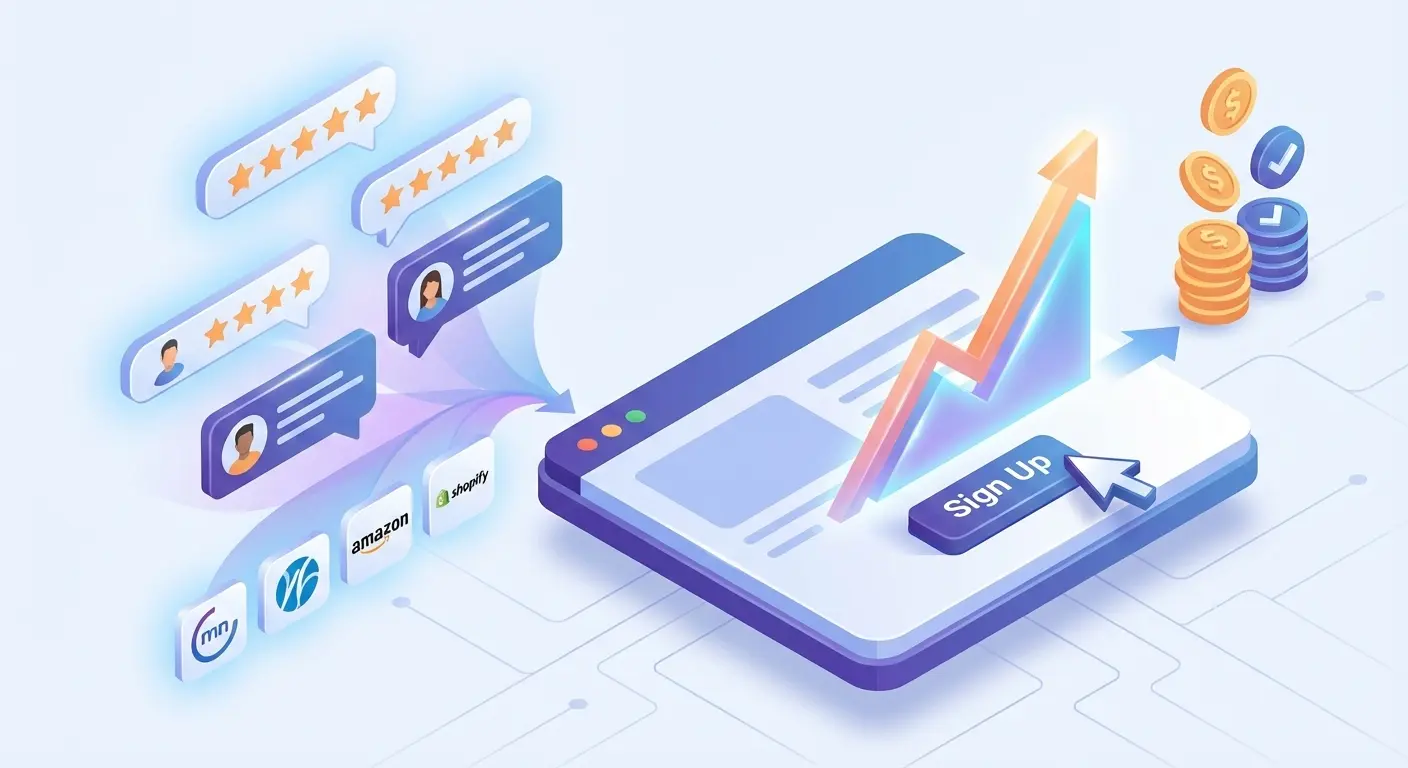
Imagine walking down an unfamiliar street looking for a place to eat. You see two restaurants: one is completely empty, and the other has a line and a bustling crowd. Which one will you choose? In 99% of cases, you'll go to the second one.
This is Social Proof. It’s a psychological phenomenon where people copy the actions of others in an attempt to behave correctly in a given situation. In online marketing, it’s one of the most powerful tools for boosting conversion rates.
Why does it work, and how can you apply it correctly on your website? Let's dive in.
1. The Psychology of Choice: Why Do We Trust Others?
When a visitor lands on your website for the first time, they experience a certain level of distrust and anxiety.
- "What if I get scammed?"
- "What if the product is low quality?"
- "What if they miss the deadlines?"
Social proof alleviates this anxiety. It tells the customer: "Look, other people have already bought from here, and everything went well. You have nothing to fear."
2. Core Types of Social Proof
Reviews are just the tip of the iceberg. Here are 4 tools that every high-converting website should have:
A. Customer ReviewsThe most popular format. But not all reviews are created equal.
- Bad: "Everything is great, thanks!" (Looks fake).
- Good: "We ordered a kitchen. It was delivered 2 days late, but the installers put everything together perfectly and cleaned up the trash. We are happy with the quality." (It has details and honesty—people believe this).
Pro Tip: Always ask clients to add photos of the result or include a link to their social media. Anonymous reviews just don't work anymore.
B. Case StudiesFor B2B and complex services (construction, marketing, consulting), case studies work much better than standard reviews. A case study is a success story.
The formula for a perfect case study:
- Before (The Challenge): What problem did the client come to you with?
- Action (The Solution): What specific solution did you propose and implement?
- After (The Result): Concrete results in numbers (e.g., saved $1M, built in 3 months).
C. Client Logos (Trust Badges)A "Trusted By" section featuring logos of well-known companies works through authority transfer. If top-tier enterprises work with you, it means you are a reliable contractor, and smaller clients will trust you too.
💡 Important Expert Note: Don't turn your logo block into an "illusion" Placing a famous brand's logo is only half the battle. For this technique to boost conversions rather than harm your reputation, follow two rules:
- Context is everything. If you are a logistics company and display a massive Nike logo, the visitor needs to know that you ship their goods nationwide, not just that you bought sneakers for your accounting department. Without a caption like "Regional Logistics Partner," the logo looks like an attempt to ride on someone else's coattails.
- Fame vs. Utility. The logo of a local manufacturing plant won't mean anything to a client from another country. If your clients aren't global giants, always add a caption explaining why they are an authority in their specific niche.
A few "bad" examples for clarity:
- The "Coffee Baron" Case: Are you displaying the Starbucks logo just because your team drinks 10 lattes a week there? That's bad. Do you supply roasted beans to 50 of their locations? Now that is social proof.
- The "Google Partner" Case: Are you using Google Analytics on your site and putting their logo in your "Trusted By" section? That's practically a marketing crime. Did you develop an internal data processing module for them? Write about it in large print!
- The "Ghost Companies" Case: A row of gray rectangles with generic names like "Global-IT-Service" or "Build-Invest-Group" without any explanation. This is visual noise. The client will see it as fake, even if they are your real customers.
The Golden Rule: A logo without a description of the collaboration is just a picture. A logo with a brief caption about the project is a solid argument in your favor.
D. Facts and Figures (Wisdom of the Crowd)Demonstrating scale.
- "Over 15,000 clients have chosen us."
- "Only 3 items left in stock" (triggering scarcity + popularity).
3. Where Should You Place Social Proof?
The biggest mistake is creating a separate "Reviews" page and hiding it in the main menu. Clients rarely go there intentionally.
Social proof should be placed exactly where the client starts having doubts:
- On the Homepage: A logo block or your best case studies right below the hero section (above the fold).
- On Product/Pricing Pages: Right next to the "Buy" or "Book a Call" button.
- At Checkout: The fear of parting with money is highest at the moment of payment. A short review like "Delivered in an hour!" can save the sale.
4. What NOT to Do
- Write fake reviews. People have learned to spot them in a second. Fake reviews kill your reputation forever. 3 real reviews are infinitely better than 30 made up by a copywriter.
- Use old dates. If your last review is from 2019, the client will assume your business is dead.
- Delete negative feedback. A perfect 5.0 rating raises suspicion. A 4.7–4.8 rating actually sells better because a professional response to criticism shows that you are a living, breathing company that solves problems.
Conclusion: Social proof is the bridge of trust between you and the buyer. Your goal isn't just to "post some reviews," but to show that your product genuinely solves real people's problems.
Read new articles:






Рентабельные рекламные кампании в Яндекс.Директ
Настроим и будем вести контекстную и таргетированную рекламу для вашего бизнеса
Создадим систему привлечения новых клиентов
Уменьшим цену входящего звонка и заявки
Увеличим заказы на маркетплейсах: Ozon, Yandex Market, WB
Подготовим понятные отчеты и аналитику